PlayStation 2 edition statically recompiled to WebAssembly and WebGPU
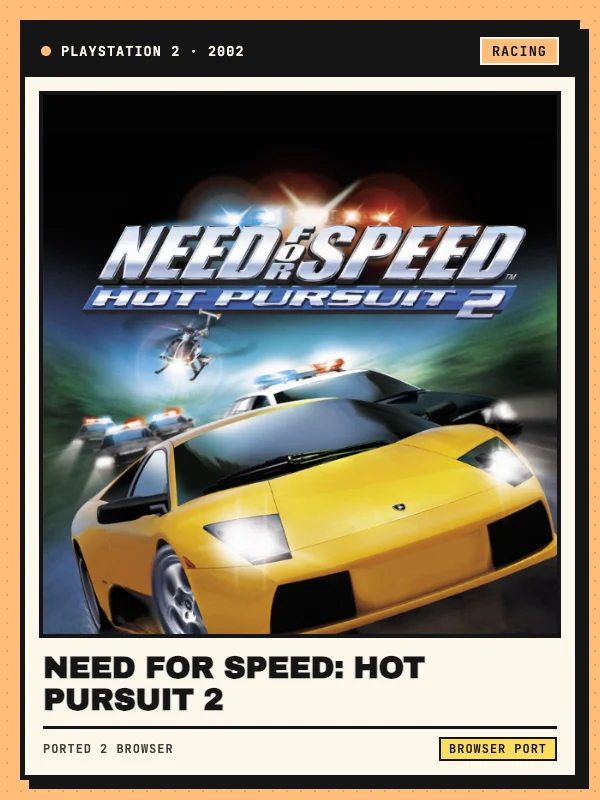
Released in October 2002, EA Black Box’s PlayStation 2 edition of Need for Speed: Hot Pursuit 2 stands apart from the separate PC/Xbox/GameCube version thanks to its sharper drift handling, alternate coastal and alpine track layouts, roadblock spike strips, and police helicopters that drop explosive barrels ahead of exotic supercars. Hot Pursuit 2 Web (nfshp2.fyi) brings that sought-after PS2 release into a browser tab.
Created by Vitorini—building on ZloiKILLER’s nfshp2-port-win static recompiler and th0mk’s nfsu2-web browser architecture—this Need for Speed: Hot Pursuit 2 browser project translates the PS2 executable and audio driver ahead of time into C++ and compiles them to WebAssembly, rendering on WebGPU with software PS2 floating-point rounding so built-in demo races match every console checksum. It is an unofficial fan project independent of Electronic Arts; Ported 2 Browser links to the external destination and does not host or distribute game binaries or commercial assets. Series fans can also compare later Black Box entries on our NFS Underground 2 and NFS: Most Wanted pages.
Keyboard keys and Xbox / PlayStation controller mappings
Press Enter or click Play once the top progress bar finishes initializing. Default keyboard bindings use Up and Down Arrows for throttle, brake, and reverse, Left and Right Arrows to steer, Space for the handbrake, Shift for speed boost, and Z / X for manual gear down and up. Press H to sound your horn or police siren, C to cycle camera views, Q to look behind, R to reset a wrecked car back onto the road, Tab to toggle the HUD, Esc to pause, F1 for menu help, and Alt+Enter to toggle fullscreen.
Connecting a USB or Bluetooth Xbox, DualShock, or DualSense gamepad activates native controller input as soon as you press a button: A / Cross accelerates, X / Square brakes and reverses, Left Stick steers, RB / R1 pulls the handbrake, Right Stick click (R3) triggers speed boost, LT / RT shift manual gears, B / Circle activates the horn or siren, Y and LB handle camera view and rear look, and Back resets the car. Every key and button can also be customized in-game under Options → Controls; touch screens are not supported.
Desktop Chrome/Edge WebGPU requirements, ~3 GB preload & open-source build
Because the runtime dispatches worker threads over shared WebAssembly memory, draws PS2 frames via WebGPU, and mixes audio in an AudioWorklet, open nfshp2.fyi in an up-to-date 64-bit desktop version of Google Chrome or Microsoft Edge on Windows, macOS, or Linux (phones, tablets, and Safari are unsupported). Approximately 3 GB of track, vehicle, and EA Trax music data streams dynamically as events load, or you can click Preload the game data on the start page to cache the full set onto local device storage ahead of time and remove mid-session loading pauses.
Developers inspecting Vitorini’s MIT-licensed GitHub repository (vitorinii/nfshp2-web) will find only runtime patches and build scripts—compiling hp2.wasm locally on macOS or Linux requires supplying your own USA SLUS-20362 copy verified by setup.sh (SHA-1 6397d4425d55056678ed5a405cc81542f7d4d2ee). On 18 November 2026 our desktop Chrome check verified the start panel, controls tabs, save backup controls, and initial loader; sustained frame rates across full Hot Pursuit championships are not guaranteed.
Local browser profile storage and .zip backup / restore
Driver profiles, Championship medals, unlocked Ferraris and Lamborghinis, and custom control layouts persist locally inside your browser rather than on a remote server. Before clearing browser site data or switching computers, click Download backup in the start page’s Saves panel to save a portable .zip archive of your profiles, and use Restore to re-import that .zip into any compatible Chrome or Edge setup.