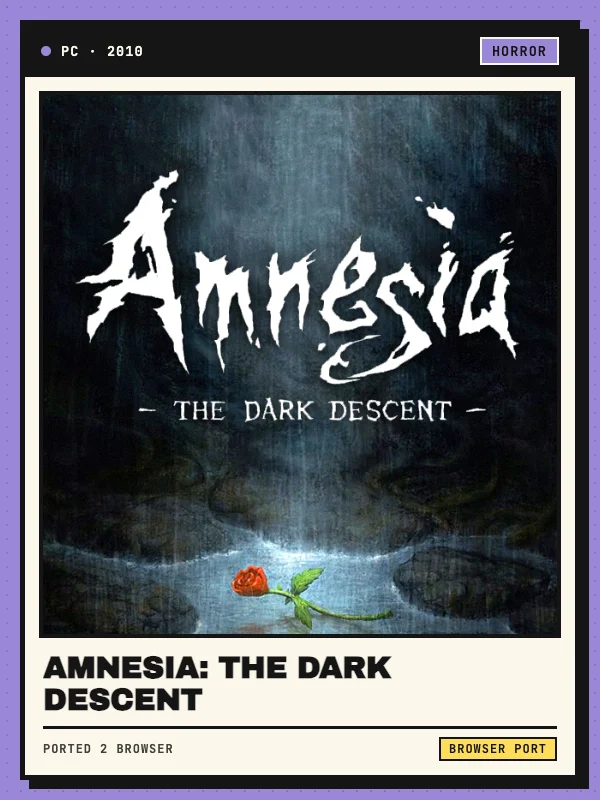
Amnesia: The Dark Descent in your browser (Web Beta)
Amnesia: The Dark Descent is Frictional Games’ 2010 first-person survival horror adventure set inside the dark halls of Brennenburg Castle. Playing as Daniel, you wake with no memory and must explore the castle, solve physics-based puzzles, and hide from stalking monsters without weapons to fight back—while managing a sanity meter that drops when you linger in darkness or witness unsettling events.
This Amnesia: The Dark Descent browser entry links to AgentCube’s unofficial Web Beta (build v1.1), which compiles the open-sourced HPL2 engine to WebAssembly with WebGL 2 rendering and OpenAL Web Audio. It is an independent community port and is not affiliated with Frictional Games.
Keyboard, mouse and controller controls
Click inside the game canvas or press a key after loading to lock the mouse cursor and enable audio. Standard PC controls use W, A, S and D to move, the mouse to look around and physically push or pull doors, drawers and levers, Left Shift to run, Left Ctrl to crouch, Space to jump, and Q or E to lean around corners. Press F to toggle Daniel’s oil lantern, Tab to open the inventory and check sanity and health, J to read collected journal notes, and Escape for the main or pause menu.
The web runtime also includes a browser Gamepad bridge for standard USB and Bluetooth controllers, mapping dual analog sticks (with a 0.18 deadzone), triggers, and 15 SDL/HPL action buttons. If the browser tab loses focus or a controller disconnects, input disarms automatically until you return to the active window.
Startup download, area loading times and IndexedDB saves
On first launch, the loader downloads roughly 65 MB of startup runtime and engine files before streaming individual campaign maps and compressed assets on demand. No separate retail game-file upload is needed. Reusable assets are cached in IndexedDB (up to a 256 MiB budget) to speed up subsequent visits. As noted by the upstream loader, transitions between castle areas can take a while on slower devices—avoid refreshing the page while a level is loading.
Player profiles, settings, and save slots persist in browser storage through Emscripten IDBFS. The port uses the Web Locks API to enforce a single active tab at a time; opening the game in a second tab blocks loading so concurrent writes cannot corrupt your profile. Wait for save operations to finish before closing or reloading the tab, and avoid clearing site data if you want to keep your progress.